Networking
The Networking category on the Manage page provides network settings. Settings must be configured to match the network to which the sensors are connected.
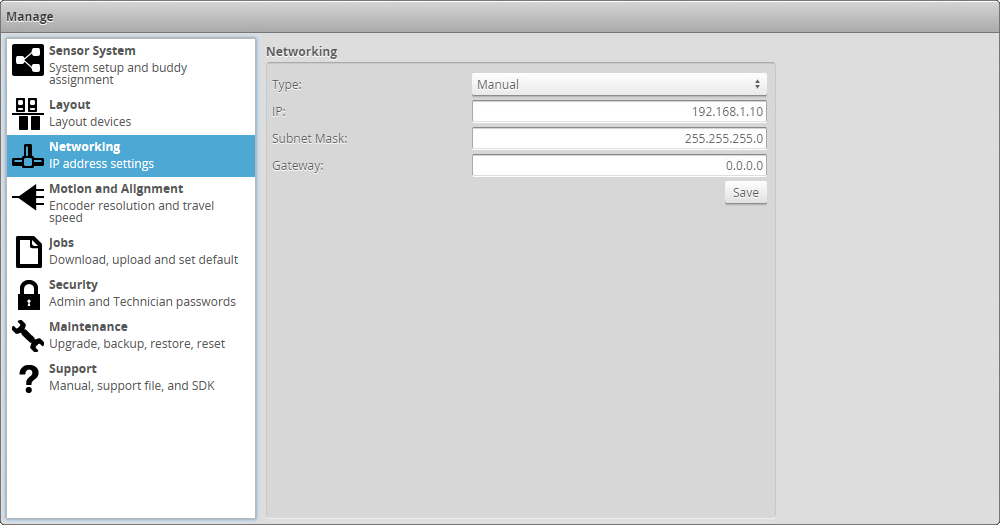
To configure the network settings:
|
|||
The sensor can be configured to use DHCP or assigned a static IP address by selecting the appropriate option in the Type drop-down. |
|||
You will be prompted to confirm your selection. |